
ERP for multi-purpose co-operative societies (MPCS)
One system for a society’s outlets, members, staff and accounts: branch POS that keeps selling offline, head-office review, vouchers, payroll, members and the F28 report book.
Built around how a society works
A multi-purpose co-operative society runs differently from a private retailer. You answer to members, you run shops, fuel stations, stores or mills under one head office, and every month closes into the F28 report book.
SSIPL ERP is built around that structure. Divisions, regional branches, head-office checks and the F-forms are part of the system, not configured on top of a generic one. Each society switches on the modules it uses.
How a society's month runs
From the outlet counter to the F28 report book, in one system. See the full F28 workflow.
Outlets record sales and stock
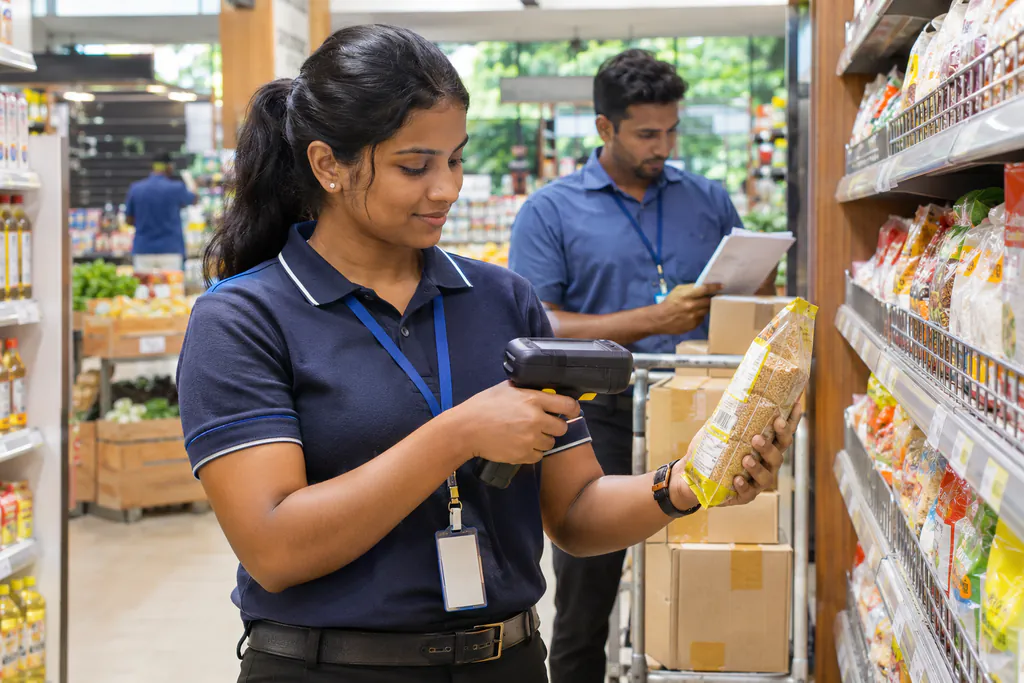
BranchEach outlet bills on its own POS, which keeps selling when the internet drops. Goods received (F16), branch transfers (F18), returns (F19), price changes and stock takings are recorded at the branch.
Head office checks and authorises
Head officeHead office checks each branch transaction, corrects it where needed and authorises it before the day is closed. Every correction records who made it and when.
Vouchers and cash go through approval
Head officeF5 payment vouchers are approved at four levels before they are paid, and each cheque is tracked from printed to signed, collected, deposited and posted. Cashbook receipts (F10), petty cash (F3) and bank deposits sit in the same books.
Payroll and transport feed in
AutomaticPayroll produces the F5 voucher for each division's salaries, with EPF, ETF and PAYE worked out. Transport adds F29 trip sheets and fuel issues.
Print the F28 report book
Head officeTrading accounts, expense analysis and the other F28 reports come from the same records. When the tasks are complete, the whole F28 report book prints in one go, in Sinhala.
Outlet and head-office responsibilities
| Work | At the outlet | At head office |
|---|---|---|
| Billing and receipts | Bill on the branch POS, including offline | Sees each outlet’s sales once the day arrives |
| Stock movements | Goods received (F16), transfers (F18), returns (F19), stock takings | Checks and authorises each movement |
| Day close | Sends the day’s transactions | Corrects where needed and closes the branch day |
| Daily summaries | Not done at the outlet | F15 stock and F9B sales summaries for every branch |
| Payments | Not done at the outlet | F5 vouchers with four approval levels; cheque tracking |
| Members and shares | Not done at the outlet | Member register by regional branch, share transfers, dividends |
| Staff and payroll | Attendance and leave | Payroll with EPF, ETF and PAYE; salary F5 vouchers |
| Month-end | Not done at the outlet | F28 progress, trading accounts and the F28 report book |
What an MPCS gets
Outlets keep selling offline
The branch POS bills without internet and sends the day to head office when the connection is back.
Head office approves every day
Branch transactions are checked, corrected and authorised before the day is closed.
F28 without the chase
Month-end tasks are tracked from the data, and the report book prints in one go.
Sinhala and English
Each user picks a language. Society reports print in Sinhala, as they are filed.
F28 and outlet POS
The two parts of SSIPL ERP that societies ask about most.
F28 accounting
Month-end tasks tracked from your records, and the F28 report book printed in one go.
Co-op supermarket POS
Billing that keeps working offline, with transfers, returns and daily F15 and F9B summaries for head office.
Working with co-operatives across two provinces
Societies in the Western and North Western provinces run on SSIPL.
33%
of MPCS in the North Western Province
One in three co-operative societies in the province runs on SSIPL software.
1st
mobile stock-taking app for MPCS
We were the first in Sri Lanka to replace paper stock sheets with a mobile app for MPCS.
26
years of continuous service
Building and supporting business software in Sri Lanka since 2000.
Co-operative societies on SSIPL
A selection of the societies we work with.
20+ MPCS
Multi-Purpose Co-operative Societies (MPCS)
Co-operative societies across the Western and North Western provinces run their outlets on SSIPL.
Clients include
- Biyagama MPCS
- Dalugama MPCS
- Dambadeniya MPCS
- Divulapitiya MPCS
- Gampaha CRB
- Hiriyala MPCS
- Horana MPCS
- Horombawa MPCS
- Kaduwela MPCS
- Katugampola MPCS
- Kehelella MPCS
- Kelaniya MPCS
- Kotadeniyawa MPCS
- Kuliyapitiya MPCS
- Kurunegala MPCS
- Mawathagama MPCS
- Minuwangoda MPCS
- Nattandiya MPCS
- Negombo MPCS
- Rideegama MPCS
- Wariyapola MPCS
- Wennappuwa MPCS
190+ Supermarkets
Co-operative Supermarkets
More than 190 co-operative supermarkets bill customers and manage stock with our POS and inventory system.
Why businesses stay with SSIPL
Many of our clients have used our software for years. These are the reasons they give.
We test before we ship
Every release goes through testing before it reaches your counters, desks or canteens.
We pick up the phone
Our support line is open Mon to Sun, 7 AM to 10 PM, in English or Sinhala.
We keep improving
We were first to bring mobile stock-taking to MPCS, and we keep building what clients ask for.
Frequently asked questions
What is an MPCS ERP?
An ERP built for multi-purpose co-operative societies: it covers outlet sales and stock, head-office checks, vouchers, members and shares, payroll, loans, transport and the F28 month-end in one system.
Which co-operative societies use SSIPL?
Our MPCS clients include Kurunegala, Kuliyapitiya, Negombo, Kelaniya, Kaduwela and Horana MPCS, among others in the Western and North Western provinces.
Do our outlets need a constant internet connection?
No. The branch POS keeps billing offline and sends its transactions to head office when the connection returns.
What do we need to run it?
A computer or phone with a web browser. Outlets with a POS also run the SSIPL POS software on their counter PC.
Can we see it with our own kind of data?
Yes. We demonstrate it with sample data of a co-operative society, and walk through a branch day and the F28 month-end.
See it working before you decide
Book a demo and we will walk you through the system using examples from your own business. No obligation.